Start with intent.
A conversation with your assistant. Planning and workspace views share the same intent bar.
SEMITEXA OS / A WORKSPACE FOR PEOPLE & AGENTS
A capable agent deserves
a thoughtful environment.
Semitexa OS brings project context, ongoing work and feedback into one workspace. You set the direction. Your agent works with the project. You can follow what happens.
Step inside the workspace Intent-first workspace · Built on the Semitexa ecosystem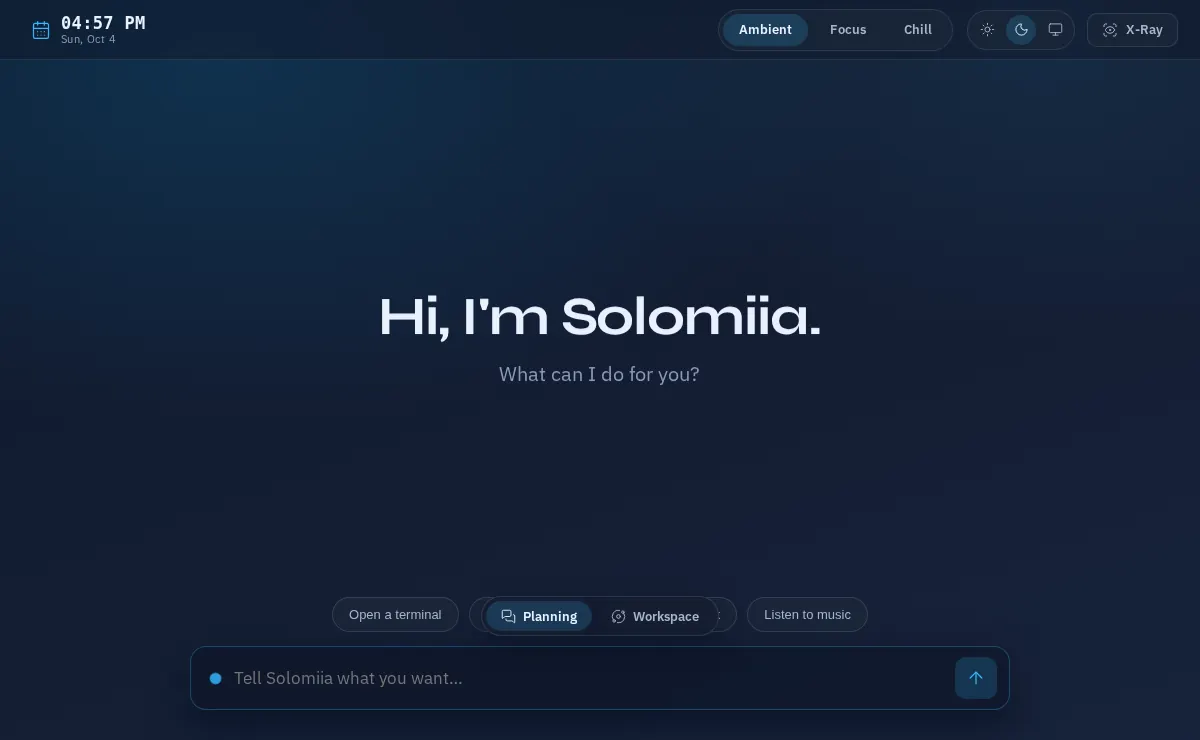
Enable JavaScript to try the interactive desktop.
Try a mode, open a tool, or say hello to Solomiia. This demo runs in your browser; chat messages are not sent to an agent.Ambient · Focus · Chill
A conversation with your assistant. Planning and workspace views share the same intent bar.
Open the surface the task needs. Keep the assistant available while you work.
Keep an overview of running activity, choose leisure tools and keep the assistant close through the chat dock.
What is Harness Engineering? It’s the practice of designing the tools, context, constraints and feedback loops around an AI agent so it can work reliably.
Semitexa OS is the workspace vision for that practice. A place where people, agents and project knowledge meet, and where the work remains understandable as it moves forward.
The desktop concept behind Semitexa OS was conceived by its creator around a simple idea: let your intent and your attention shape the workspace. Ambient, Focus and Chill are three modes of the same environment. Your assistant remains within reach as the way you work changes.
Start a conversation in Ambient. Bring a task’s tools forward in Focus. Step back to activity and leisure in Chill. A window is one possible surface; it appears when the task needs it. X-Ray is a separate view into the agent loop, available when you want to inspect what is happening underneath.
Modules, routes, contracts and dependencies. Give your agent a project it can inspect, with boundaries it can follow.
How agents see a projectKeep goals, tasks, decisions and next steps in durable artifacts. Return to the work with its context still attached.
The AI-native workflowChecks connect a proposed change to evidence. See what was verified, what needs attention and what should happen next.
Explore the documentationHUMAN DIRECTION. VISIBLE AGENT WORK.
02 / THE ECOSYSTEM
The OS brings the experience together. Platform and Framework give it the interface and execution foundations to build on.
Meet the Semitexa ecosystemThe workspace for people and AI agents.
Reusable interfaces for real workflows.
Explicit contracts. A clear execution model.
MAKE ROOM FOR BETTER WORK
OS is a product preview. Context, task memory and verification tools
are available in the Semitexa development environment.